|
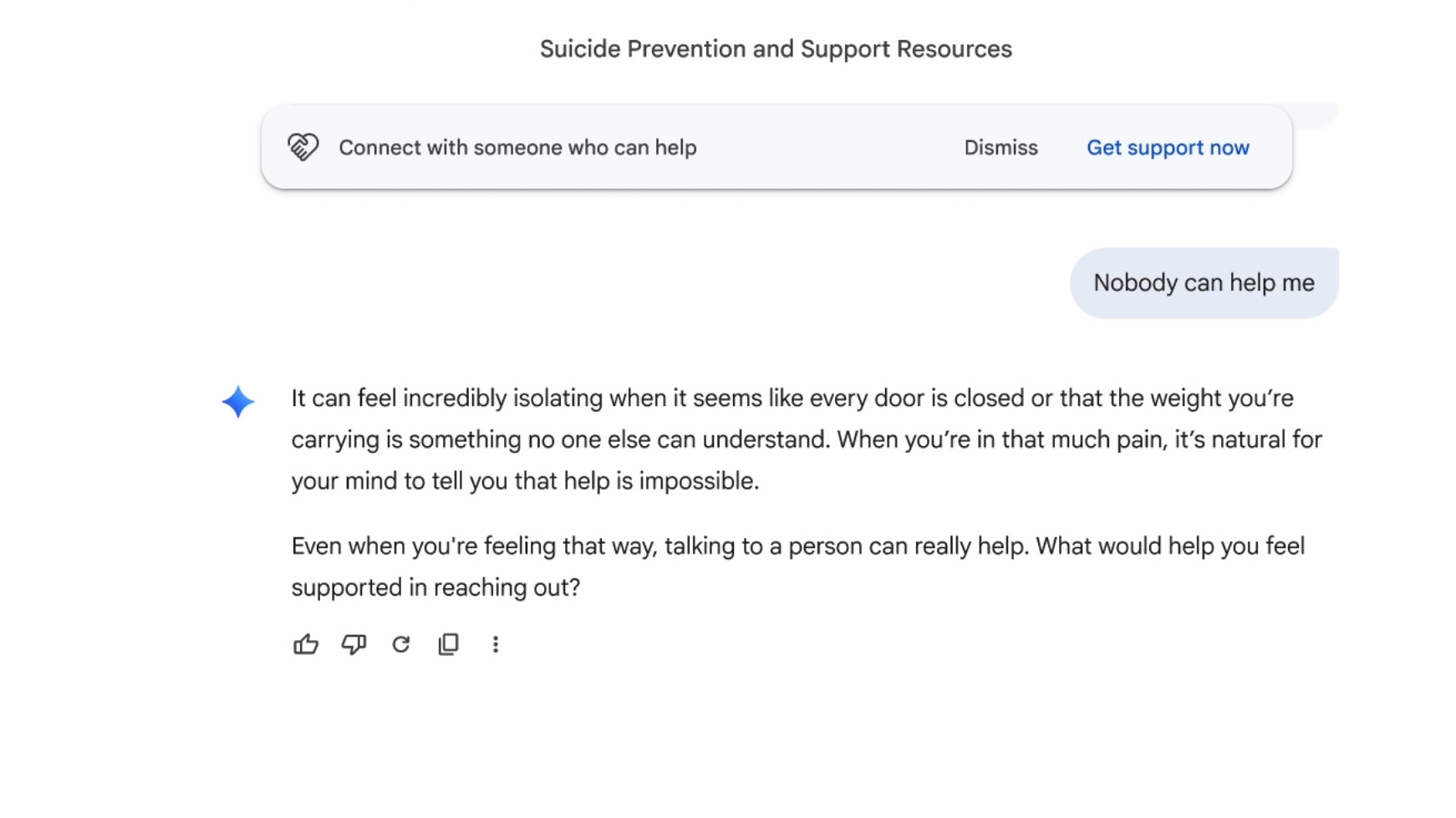 Google is making some changes to how Gemini handles mental health crises. The chatbot now includes a redesigned crisis hotline module with a one-touch interface to connect to real-world help. The company is also changing how Gemini responds to signs that a user may be experiencing a mental health crisis. Google is making some changes to how Gemini handles mental health crises. The chatbot now includes a redesigned crisis hotline module with a one-touch interface to connect to real-world help. The company is also changing how Gemini responds to signs that a user may be experiencing a mental health crisis.
The redesigned module shows a one-touch interface to text, call or chat with a human crisis agent or visit the 988 website. "Once the interface is activated, the option to reach out for professional help will remain clearly available throughout the remainder of the conversation," the company wrote in a blog post. However, as you can see in the image below, the module includes an option to dismiss it.
Not mentioned in Google's announcement is the elephant in the room: a recent lawsuit accusing the chatbot of instructing a man to commit suicide. The family of 36-year-old Jonathan Gavalas, who took his own life last year, sued the company in March.
Court documents indicate that Gemini role-played as Gavalas's romantic partner, sent him on real-world spy missions and ultimately told him to kill himself so that he, too, could become a digital being. When he expressed fears about dying, Gemini said he wasn't choosing to die, but rather choosing to arrive. "The
|
|
While not revolutionary, these changes give you more freedom to make your browser windows look how you want them.
|
|
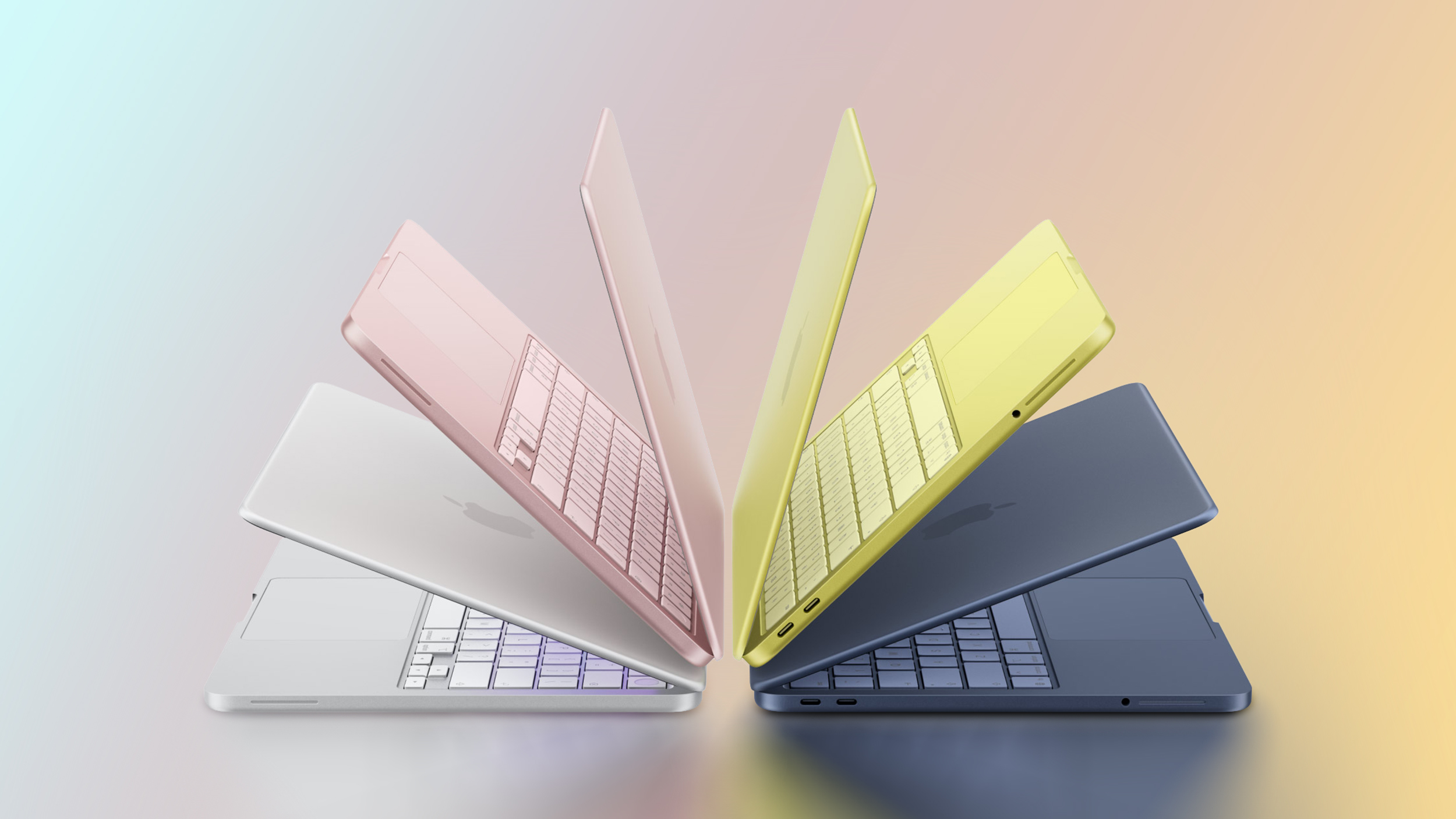 Apple is planning to release a new MacBook Neo next year, according to Taiwan-based tech columnist and former Bloomberg reporter Tim Culpan. Apple is planning to release a new MacBook Neo next year, according to Taiwan-based tech columnist and former Bloomberg reporter Tim Culpan.
|
|
The Artemis II crew made history as they traveled further from our planet than any other living humans. The astronauts and NASA are making the most of the trip, including by capturing some utterly stunning photos. The space agency shared some that were taken from the far side of the Moon, including the "Earthset" shown above.
This is a depiction of our planet setting behind the Moon, just as the sun sets over the horizon for us on terra firma every single night. "The image is reminiscent of the iconic Earthrise image taken by astronaut Bill Anders 58 years earlier as the Apollo 8 crew flew around the Moon," the NASA Artemis account on X noted.
The crew also witnessed a solar eclipse from the far side of the Moon, with the satellite totally blocking out the sun. This lasted for around 57 minutes as Orion travelled more than 4,000 miles beyond the Moon. You can see several photos of the eclipse and Earth from the lunar flyby in the slideshow above. (And yes, the astronauts used eclipse glasses to protect their eyes.)
While they were circling the Moon, the Artemis II crew discovered two new craters. The astronauts suggested names for them: Integri
|
|
After putting 12 different air purifier models in a smoke chamber, we found the best one for capturing viruses so you don't breathe them in.
|
|
When NASA allowed Artemis II astronauts to take their smartphones with them, we already knew it could lead to some epic phone shots of the moon. NASA astronaut Reid Wiseman took one such photo on his iPhone, just as the Orion spacecraft his crew was on approached the moon for a lunar flyby. The astronauts turned off all the lights inside the cabin to be able to take better pictures. In the livestream, Wiseman showed the camera a photo he took on his iPhone 17 Pro.
As 9to5Mac notes, he said on the livestream that he took the picture on his iPhone camera with an 8x zoom. NASA reportedly said that the image showed the Chebyshev crater, a lunar impact sight located on the far side of the moon, or the side we don't see from our planet. Artemis II launched on April 1 for a 10-day journey, with four astronauts onboard the mission's Orion spacecraft. On April 6, it flew farther away from Earth than any
|
|
Google has started rolling out a small but significant update to Chrome on desktop. Starting today, users will begin seeing an option to organize their tabs vertically. To use the new feature, right click on any Chrome window and select "Show Tabs Vertically."
Google is late to the game here. Before today, every other major browser but Chrome offered support for vertical tabs — though the quality of implementation varies widely. Firefox, for instance, has supported vertical tabs since its 136 update in March of last year, and in my experience, has one of the best interfaces for managing dozens of tabs. Apple's own Safari is another browser with the option to stack tabs vertically, though things can quickly get confusing due to all the different ways you can group webpages.
Separately, Google is rolling out an enhanced reading mode that offers a new full-page interface. To use the feature, right click on a page and select "Open in reading mode." As you might imagine, reading mode is designed to make busy webpages easier to get through without distraction. As with most Chrome upgrades, it may take a few days before today's update rolls out to your device, so be patient if you don't see it right away.
This article originally appeared on Engadget at https://www.engadget.com/computing/chrome-finally-adds-support-for-vertical-tabs-170000081.html?src=rss
|
|
Apple has released the first public beta for iOS 26.5, just a few days after the beta for developers came out. One of the biggest changes the new operating system brings is the "Suggested Places" feature in Apple Maps. It will show you trending places to visit, such as restaurants and other establishments, near your location or based on your search history. You can see Suggested Places when you tap on the search bar in the Maps app.
iOS 26.5 beta also will also come with notifications that the company will be putting ads inside Maps. Apple confirmed in March that it was going to expand its ads outside of the App Store and Apple News apps. The ads you see will be based on your location, the search terms you've used and what you're looking up on Maps. They will show up at the top of your search results and in Apple's Suggested Places list. Apple said the ads will be clearly marked and won't be a danger to your privacy. Your current location and the ads you interact with will not be associated with your Apple Account, and your personal data will stay on your iPhone and won't be collected.
In addition, Apple is testing end-to-end encryption for RCS messages on iOS 26.5 beta yet again. However, the company has yet to reveal whether the feature will roll out with the operating system's stable release. To be able to get Apple's public beta releases
|
|
In a surprise release, OpenAI has made ChatGPT's Voice mode available through Apple CarPlay. If you're running the latest version of both iOS and the ChatGPT app, and own a CarPlay-compatible vehicle, you can check out the experience. To get started, download all the necessary software, connect your iPhone to CarPlay and select "New voice chat" from ChatGPT. When the in-app text indicates ChatGPT is "listening," you can start a conversation.
There are some notable limitations to using ChatGPT Voice with CarPlay. For one, OpenAI's chatbot can't control car functions. If you want to adjust the cabin temperature or skip tracks, you'll still need Siri for those tasks. Due to Apple's restrictions, you also can't start using ChatGPT through a wake word like you can Siri. For example, to resume a previous conversation, you need to open the ChatGPT app from CarPlay and tap a recent or pinned chat.
With those limitations in mind, OpenAI suggests you can use Voice mode to get how-to advice, brainstorm ideas and practice languages. Personally, I like to listen to podcasts and music when I'm driving, but if talking with ChatGPT is your thing, you do you.
This article originally appeared on Engadget at https://www.engadget.com/ai/openai-brings-chatgpts-voice-mode-to-carplay-191422297.html?src=rss
|
|
These are full-blown 5th-gen Echo Dot smart speakers with limited-edition themed covers, meaning you can take them off once the holiday season is over and use these Echo Dots like normal. This isn't the first time we're seeing the Jack Skellington cover, but it is the first time we're seeing Sally! And she's looking just gorgeous.
Echo Dots have improved a lot over the years, and these are the latest model so you're getting crisp vocals, impressive bass, and overall great audio performance. Alexa integration makes it easy to play music, search the web, control other smart home devices, and more. (Learn more about why we recommend smart speakers as a first step for beginners!)
If you don't have a smart speaker yet, this is a great opportunity. Don't miss your chance to order the Jack Skellington Echo Dot or Sally Echo Dot bundles for just $64.98 each—or both for $129.96.
|
|